
Reassign scheduled events to a different organizer 🧑💻
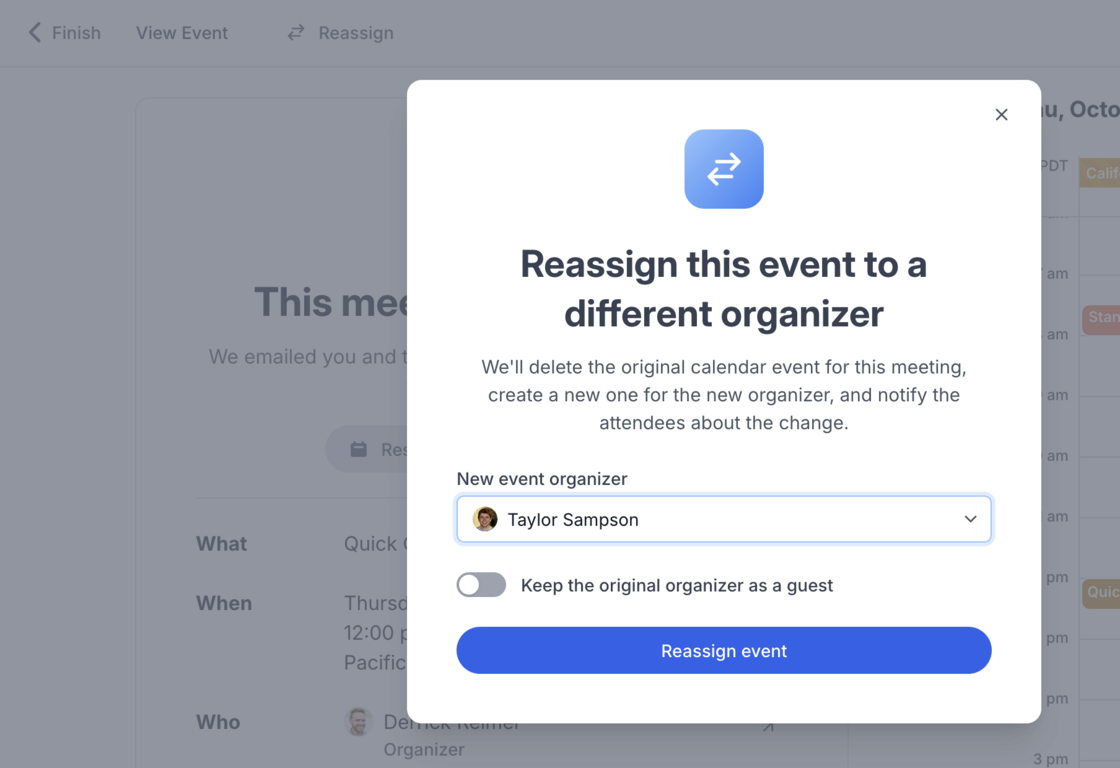
After an event is scheduled, sometimes life happens and the organizer needs to get reassigned to someone else on the team. Now, you can click the Reassign button at the top upcoming events (that you have permission to manage) to change the organizer.
We'll delete the original calendar event for this meeting, create a new one for the new organizer, and notify the attendees about the change.
 Derrick
Shorter custom domain URLs and favicons
We've made a few improvements to the custom domains feature based on your feedback. You can now…
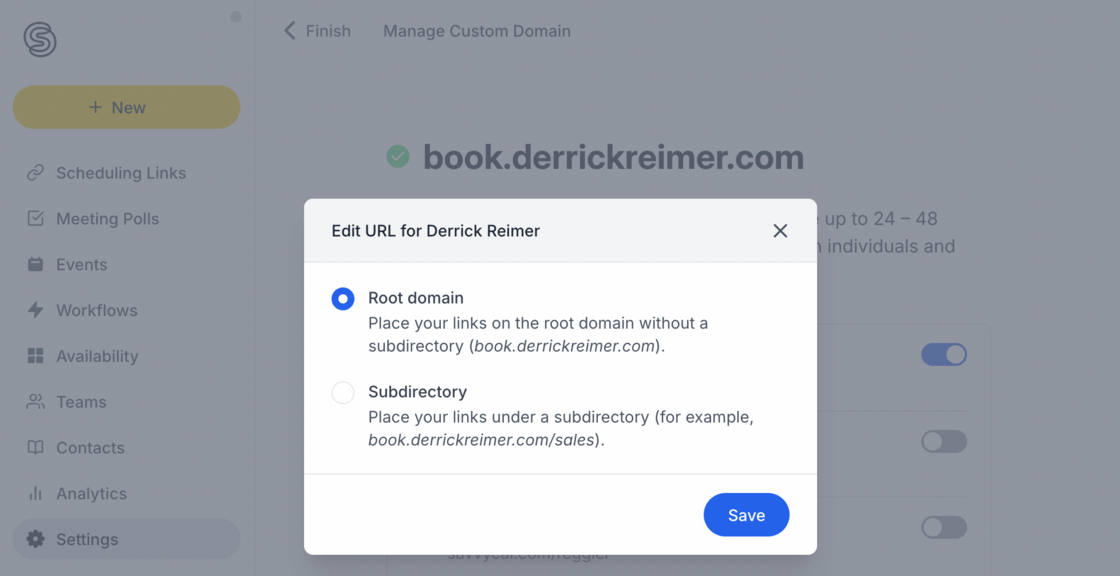
- Show a profile page on the root of your custom domain (book.example.com)
- Place links directly under the top-level of your domain (book.example.com/chat)
- Upload a custom favicon for your custom domains
 Derrick
Custom domains 🌏
You can now set up custom domains for your SavvyCal booking links (such as meet.yourcompany.com)!
This adds an extra measure of professionalism to your booking experience. You also get your own "namespace" with a custom domain, so you'll no longer be competing with the rest of SavvyCal customers for that perfect username/URL 😎
 Derrick
Warn schedulers when booking outside of their usual working hours 🚨
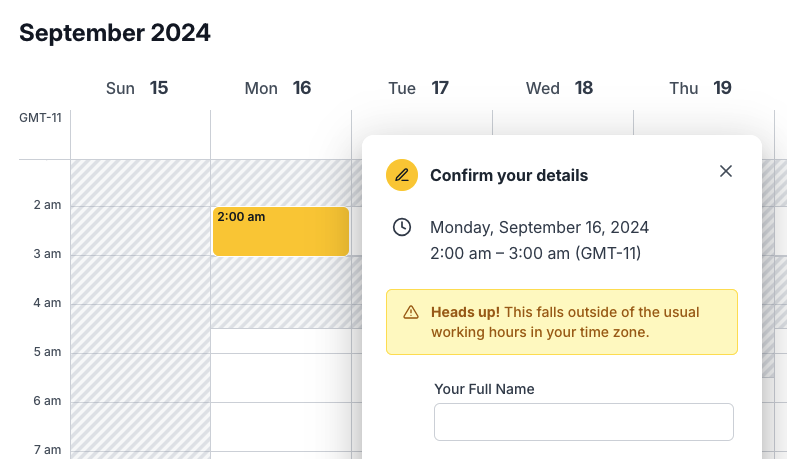
When there's a large time zone gap between organizer and scheduler, sometimes folks will mistakenly book at time slot outside of their ordinary working hours (for example, they may accidentally pick 2:00 am instead of 2:00 pm).
To help prevent these bookings, we now display a warning message when the time slot is late at night or early in the morning.
 Derrick